Step 1 Open Google Chrome Browser
Step 2 In address bar / URL type in/copy-paste below address exactly as given
chrome://settings/content/javascript
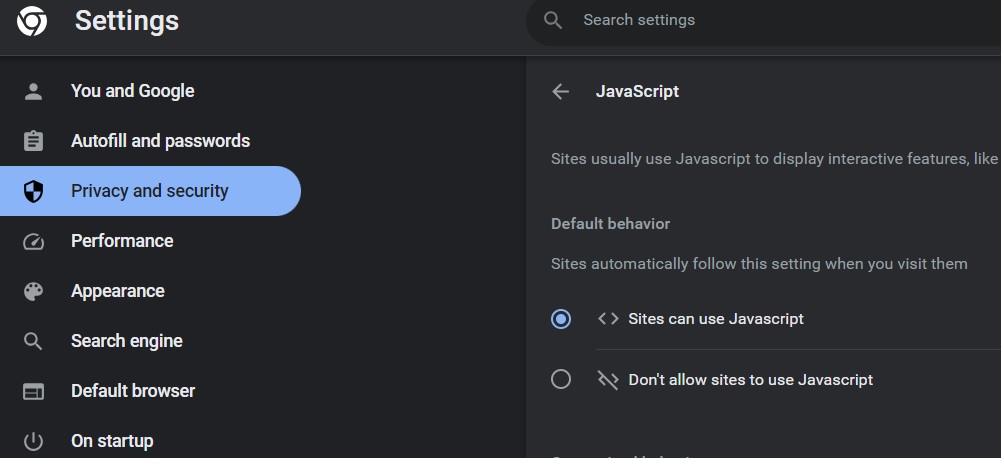
This link takes you to below settings under “Privacy Policy” > Javascript
Step 3 There please select <> Sites can use Javascript
Note: Setting as shown is correct setting for website page to work, if you like you may disable this setting again after payment is complete Step 4 -Refresh the checkout page and retry submission.
Step 5 – Please call 484-682-5679 for assistance, if any assistance required

About AANA
Founded in 1980, the Assam Association of North America (AANA) is a community of people from Assam, India, living across North America. United by pride in our Assamese language and culture, we are committed to preserving this rich heritage and passing it on to future generations. We are a 501(c)(3) organization. © Assam Association of North America (AANA). All rights reserved.
Registrations for Assam Convention 2026 @ San Francisco Bay Area is Now Open!! Register Today!!